No cloud inference
Prompts, source images, generated pixels, and generation metadata are processed locally during creation.
 Loccra
One calm creative workspace
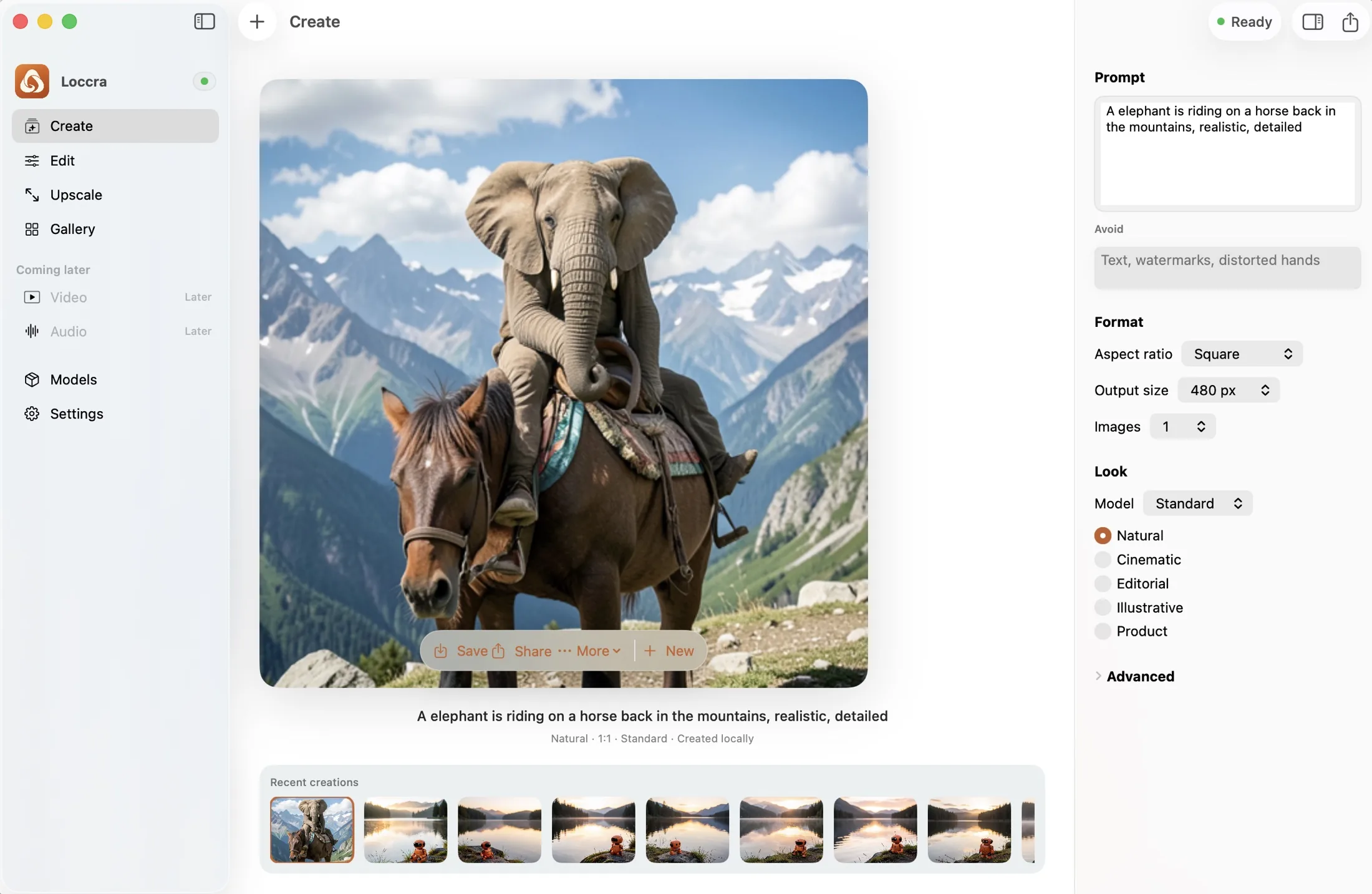
Generate from a thought, transform an existing photo, and keep every result close. Loccra turns local AI into a clear Mac experience—not a technical workflow editor.
 Create
 Edit
EditCreate
Start with ordinary language and choose only the controls that matter: shape, visual direction, output size, and image count. Loccra Standard handles the generation locally.
Edit
Import a JPEG or PNG, say what should be different, and preserve the original while Loccra Edit creates a new local result. It is a practical workflow for product imagery, locations, campaigns, and creative exploration.
 BeforeAfter
Edit instructionChange the scene to warm sunrise
Loccra EditGallery
Create and Edit results enter the same persistent local gallery. Search, filter, open, and revisit a generation after relaunching Loccra—without building a file-management system first.

Private by design
Prompts, source images, generated pixels, and generation metadata are processed locally during creation.
Once the runtime and model are installed, creating and editing do not need an internet connection.
Each task gets a reviewed model and a product-level interface instead of exposed workflow graphs and checkpoints.
Ready when you are
Loccra is being prepared for early access on Apple Silicon.