01 / CREATE
Loccra Standard
A focused local image generator designed for fast iteration and a lighter memory footprint.
 Loccra
Create and transform remarkable images with AI models that run locally. No cloud inference. No account. Your work stays yours.
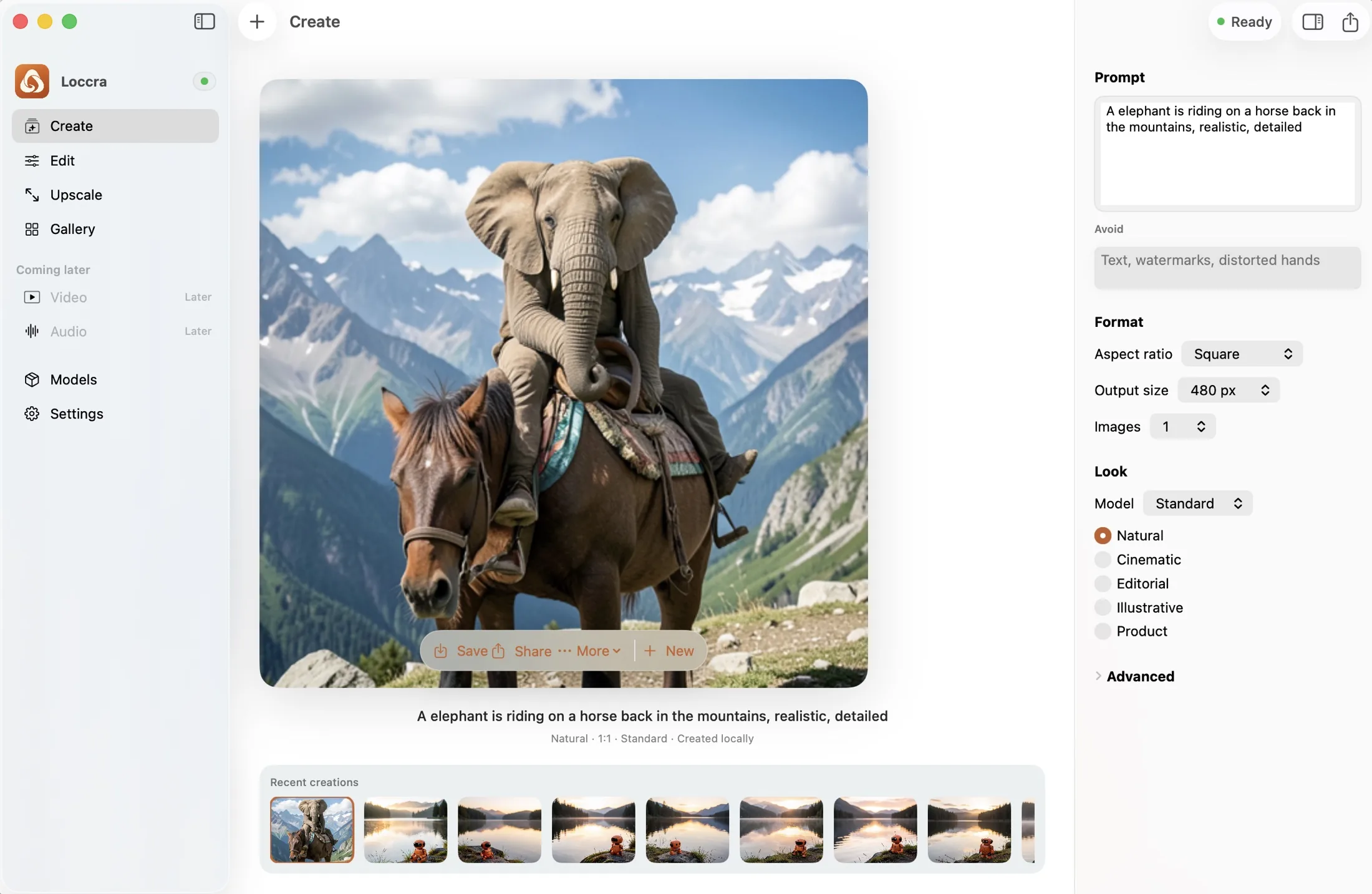
Create without compromise
Describe the image in your head. Loccra Standard turns it into pixels on your Mac, with thoughtful controls and no technical maze.




Every image above was generated locally with Loccra.
Edit with intention
Drop in an image, describe the result, and let Loccra-Edit transform it locally—without uploading the source anywhere.
 Before
After
Before
After
Edit instructionChange the scene to warm sunrise
Loccra-EditPrivacy is the architecture
During generation, your prompt, source image, output, and metadata stay on your device. Loccra talks only to its local generation engine—not to a remote inference service.
No cloud inferenceGeneration happens on Apple Silicon.
No account requiredOpen the app and make something.
Works offline after setupInitial runtime and model downloads need internet.
LoccraThe model runs locallyPower without the model maze
Loccra gives each task one clear model, tested and presented as a product—not a folder of checkpoints.
01 / CREATE
A focused local image generator designed for fast iteration and a lighter memory footprint.
02 / EDIT
Instruction-led transformation powered by FLUX.2 Klein 4B.
Ideas into practice
 Use case · Edit
Turn one clean product or location image into a campaign-ready set with precise, private edits.
 Getting started
Choose a format, write a useful prompt, generate, and find the result again.
A clear look at what stays on your Mac, what setup needs internet, and why the difference matters.
A few clear answers
No. During generation and editing, prompts, source images, outputs, and generation metadata stay on your Mac.
Yes, after the one-time runtime and model setup. Internet access is needed to download those components initially.
The current development version requires Apple Silicon and macOS 14 or newer. Local models also need meaningful free disk space.
In Loccra’s local gallery and managed output folder on your Mac, ready to revisit after relaunching the app.
Made for the work you keep close
Loccra is being prepared for early access on Apple Silicon Macs.
Request early access No newsletter machinery. Just a direct note to the Loccra team.